
Help Center
How to end a season
What you will learn
- Why closing registration and archiving are separate steps
- What to settle and export before you archive
- The four things archiving actually does, including one people miss
- Why delete disappears once anybody has registered
Takes about 20 minutes.
Learn how to close registration, settle what is outstanding and archive a finished program in Playbook Logix, and what archiving does and does not take care of.
The archiving itself takes one click. Almost everything on this page is about what to do before that click, because archiving tidies a season away rather than tying it up.
Before you start
- A season that has finished, or nearly
- Ten minutes to settle outstanding payments first
Close registration
Settings on the program card opens Edit Program Settings. Set Registration Status (Manual Toggle) to Closed (Turn Off Registration). The link stops working immediately and shows a Registration Closed page.
Worth doing as a separate step, well before you archive. A season usually stops taking registrations weeks before it stops running, and leaving the link live is how you end up with somebody signing up in week nine.
Settle the money first
Before you archive, work through the financial side while it is still in front of you.
- Verify every pending payment, or reject the ones that never arrived. A pending payment counts toward nothing, so leaving them is the same as pretending the money is missing.
- Chase or write off outstanding balances. Decide which, rather than leaving them to decide themselves.
- Issue any refunds you owe. Much easier now than next March.
Export anything you will want later
The data does not disappear when you archive, but it becomes harder to reach, and next year's you will want some of it in a spreadsheet regardless.
- The full registration list, from the Master Data Grid
- Your final financial position for the season
- Contact details, if you send a preseason email next year
- Attendance, if you use it for anything
Archive the program
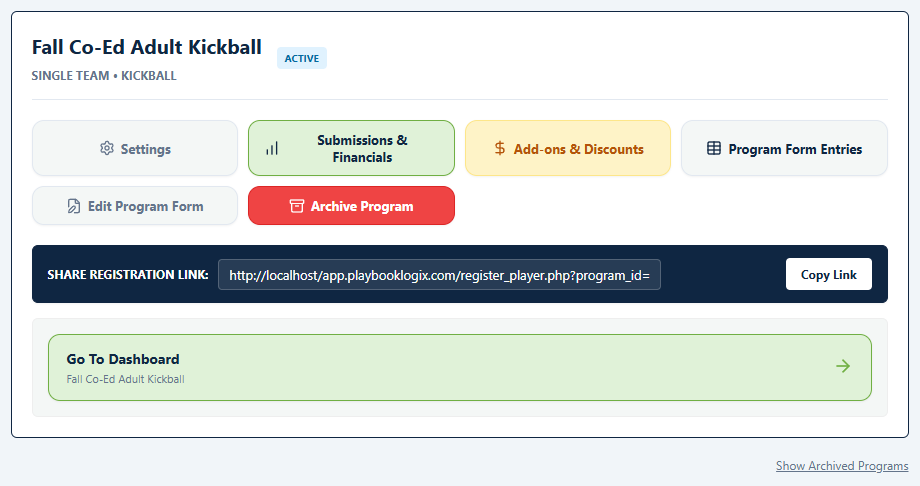
On your dashboard, the program card carries an Archive Program button. It asks you to confirm, and that is the whole operation.
What archiving actually does
More than it appears to, which is the reason to use it rather than just closing registration.
- Hides the program from your dashboard, behind a Show Archived Programs link that brings it back when you need it.
- Takes it out of the pickers. It stops appearing when you create a team, when somebody applies to be staff or a volunteer, and in the Communication Hub, so last season stops cluttering the lists you use every week.
- Kills the registration link for good. Anybody following an old link is told the program is archived or no longer accepting registrations.
- Frees a place against your plan. Program limits count only active programs, so archiving last season is what makes room for next one.
That last point is the one people miss. If you are at your plan's program limit, archiving a finished season is the fix.
Archiving is reversible
An archived program keeps an Unarchive Program button, so nothing here is a one-way door. If you archive a season and then realize you needed one more registration from it, bring it back, do the thing, and archive it again.
Deleting, which is not reversible
So delete is really only useful for clearing up a program you created by mistake and never opened. For everything else, archive.
What to do about next season
Next season is a new program rather than a reopened one. That is the design and it is the right one: separate fees, separate rosters, separate books, and last year's numbers stay readable instead of being overwritten.
See creating a registration program, and how it is all organized for why a season is a program rather than a setting.
Common questions
How do I close registration without ending the season?
What does archiving a program do?
Does archiving settle outstanding balances?
Can I undo archiving a program?
Why can I not delete a program?
Last updated September 22, 2026.
Ready to run your season on this?
Playbook Logix is free to start, and no credit card is needed.