
Help Center
What to do when a program fills up
What you will learn
- The two things that make a program full, and a third that acts like it
- Why counting only paid registrations oversells your last few places
- Exactly what a parent sees, and what you are not told
- How to run a waiting list the product will not run for you
Takes about 5 minutes.
What happens when a program reaches its cap, exactly what a parent trying to register sees, and how to run a waiting list given that Playbook Logix does not have one.
Before you start
- A program with a capacity limit set
What full actually means
A program is closed to new registrations when either of two things is true: it has hit its Max Registrations number, or you have set its status to closed by hand. There is no difference in what families see.
A registration deadline in the past has the same practical effect.
What counts toward the limit
On a paid program you chose one of two answers to What counts towards the limit?, and it changes the arithmetic significantly.
- Count all registrations counts every registration regardless of whether any money has arrived.
- Count only registrations with paid deposits counts a registration only once it has met its payment bar. If you set a minimum deposit, that is the bar. If you did not, the bar is paid in full.
The second option is tempting because it sounds like it stops people holding a place without paying. What it actually does is let more people in than you have room for, because a family part way through checkout is not holding anything, and on the last few places everybody who is mid checkout at that moment gets in.
What a parent sees
The registration link itself stops working. Instead of the form, they get a page headed Registration Closed telling them the program has reached its maximum capacity or has been closed by the organizer.
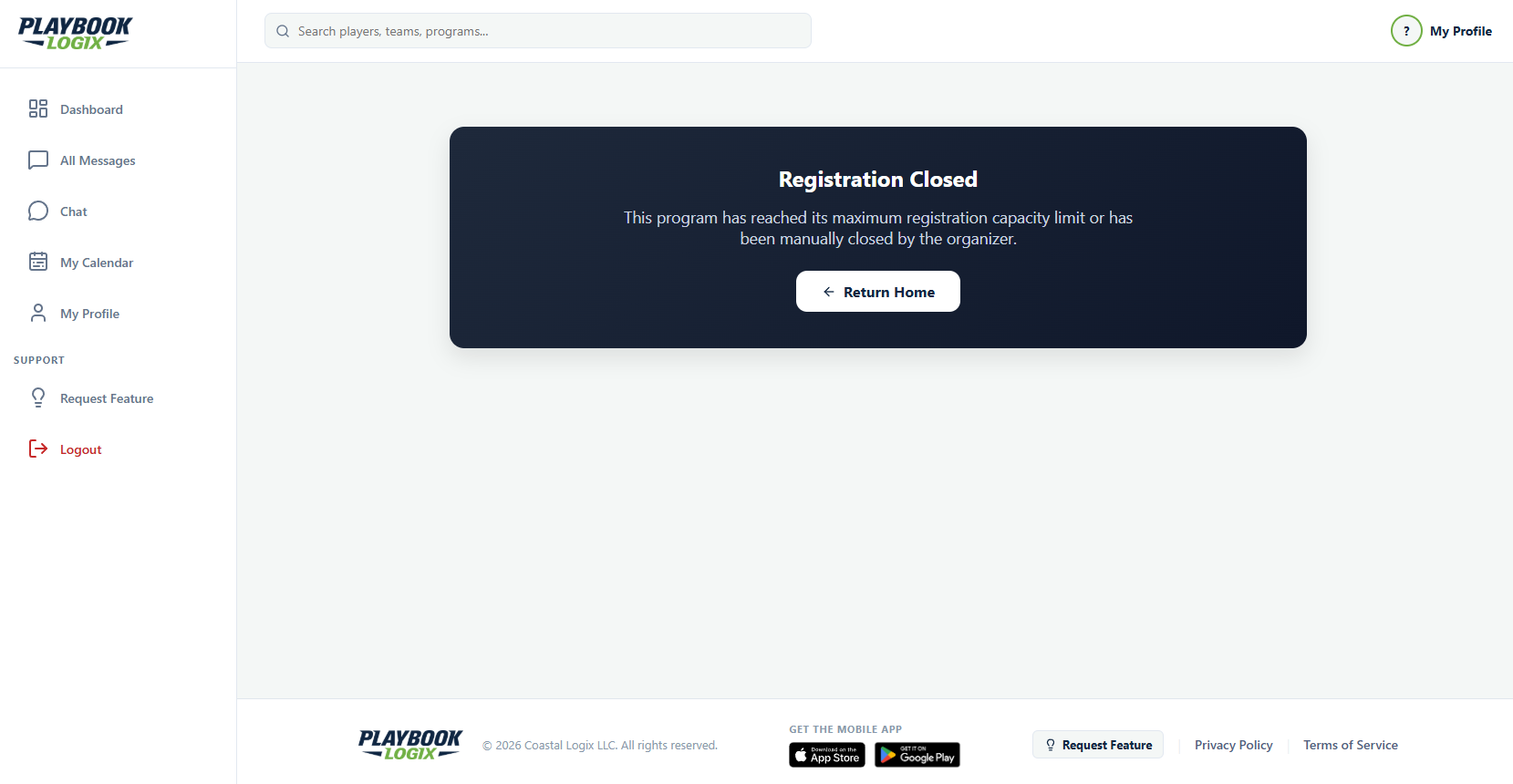
There is no form on that page, no way to leave a name, and nothing tells you they came. From your side the program shows Registration Closed (Capacity Reached or Manually Closed).
A parent who sees that page and wants a place will email you, if they can work out who to email. Several will simply go elsewhere.
Running a waiting list anyway
Since the product will not do it for you, do it with one sentence in the place people will be looking.
- Put the contact route in your announcement, not just on the registration page they can no longer reach. "If it is full, email registrar@yourleague.org and we will add you to the waiting list."
- Keep the list somewhere boring, a spreadsheet or a note. It only has to survive until a place opens.
- Go in order and say you are doing so. A waiting list that is not visibly first come first served turns into an accusation of favoritism the moment somebody's neighbor gets in.
When somebody drops out
Cancel their registration and the place reopens. A canceled registration does not count toward capacity, so a program that was full goes back to accepting one more.
Watch the timing. The moment a place opens the link works for anybody who has it, not just the family you meant to let in, so if you are working through a waiting list, fill the gap promptly rather than leaving it open overnight.
Your other options when it fills
A full program is usually good news, and there are more responses than turning people away.
- Raise the cap, if you can find the coaches and the field time. Max Registrations is editable at any point and takes effect immediately.
- Add a team rather than a program, if you are running a league and the constraint is roster size rather than the season itself.
- Open a second program, which is the right answer when the extra players need a different night, a different age group, or a different fee.
- Leave it full. A league that consistently fills in a week has information about next year's pricing and next year's capacity, and should use it.
For where these settings live, see what you can change after registration opens.
Common questions
Does Playbook Logix have a waitlist?
What does a parent see when a program is full?
Should capacity count all registrations or only paid ones?
Does canceling a registration free up a place?
Can I raise the cap after registration has opened?
Last updated September 22, 2026.
Ready to run your season on this?
Playbook Logix is free to start, and no credit card is needed.