
Help Center
How to add organization admins
What you will learn
- What administrator access actually includes
- The test for whether somebody should have it
- What happens when the email has no account yet
- Why the owner cannot be removed
Takes about 5 minutes.
Learn how to give somebody administrator access to your organization in Playbook Logix, what that actually includes, and why it is a much bigger step than adding a coach to a team.
Before you start
- An organization you own or administer
- The email address the person already uses, if they have an account
Who should be one
The people who would have to run the club if you were unavailable. In most organizations that is one or two others, not a committee.
The useful test is money. An administrator can see every payment, issue refunds, change fees and alter your payment settings. If you would not be comfortable handing somebody the bank statements, they are not an administrator, whatever else they do for you.
Adding one
Open Organization Settings and find the Organization Admins section. You are asked for a first name, last name and email.
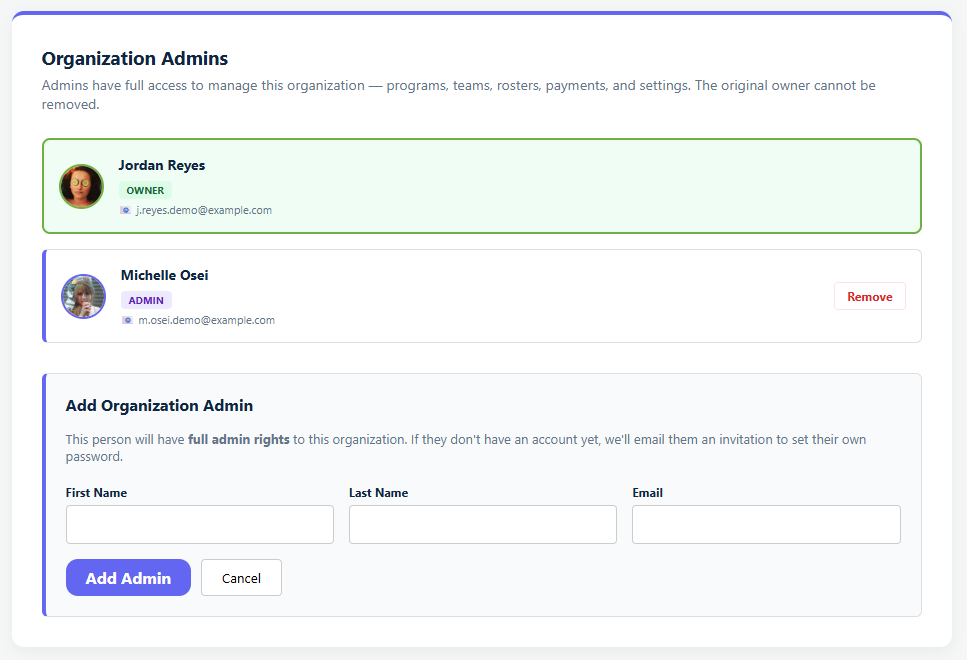
The form states the stakes above the fields, which is worth reading rather than clicking past: this person will have full admin rights to the organization, and if they do not have an account yet they will be emailed an invitation to set their own password.
What happens next depends on whether that email already has an account.
- Already has one: they become an administrator immediately. If their account was a family account, it is upgraded to a coach account as part of this, so they can create and manage things.
- Does not have one: an account is created for them and they are sent an invitation to set a password.
Either way, get the email right. It is the thing being matched on, and a typo creates a fresh account for an address that does not exist rather than telling you it went nowhere.
The owner is different
Whoever created the organization is its owner, shown at the top of the list and marked as such. The owner cannot be removed, by anybody, including themselves.
That is a safety rail rather than a limitation. Without it an organization could end up with nobody in charge of it, which is not a state anybody can fix from inside the app.
In every other respect owners and administrators are treated identically. The distinction only shows up when somebody tries to remove the owner.
Removing one
Administrators can be removed from the same list. Do it when somebody leaves, rather than at the end of the season, because an administrator who has moved on still has full access to your families' details and your money.
A record is kept
Each administrator is stored with who added them. That matters more than it sounds for an organization handling other people's money and other people's children, because "who gave this person access" is a question you want answerable rather than debatable.
The alternatives, which are usually what you want
Most requests that sound like they need an administrator do not.
- Somebody running one team. Add them to that team as a coach or manager with the permissions they need. See team staff permissions.
- Somebody helping across the club without running it. Approve them as organization staff, which is scoped and reversible. See adding coaches and volunteers.
- Somebody who just needs to see things. There is no read-only administrator, so the answer is usually a team role, or exporting what they need and sending it to them.
Common questions
What can an organization admin do?
What happens when I add somebody who has no account?
Can the organization owner be removed?
Does adding somebody as an admin change their account?
Somebody only needs to manage one team. Should they be an admin?
Last updated September 22, 2026.
Ready to run your season on this?
Playbook Logix is free to start, and no credit card is needed.