
Help Center
How to run a tournament
What you will learn
- Build a bracket free, with no account at all
- Save it into your account and confirm what you are saving
- The details that make a bracket useful to a parent
- Why tournament teams are not your rosters
Takes about 30 minutes.
Learn how to build a bracket with the free generator, save it into your Playbook Logix account, and fill in everything a parent needs before the weekend starts.
The bracket itself is built on the free tool and needs no account at all. Bringing it into your account is what adds live scoring and a link you can send to everybody.
Before you start
- Your team list, and a decision on single or double elimination
Build the bracket
Open the tournament bracket generator. Choose single or double elimination, type your teams in, and it works out the seeding, the byes and the losers bracket routing for you.
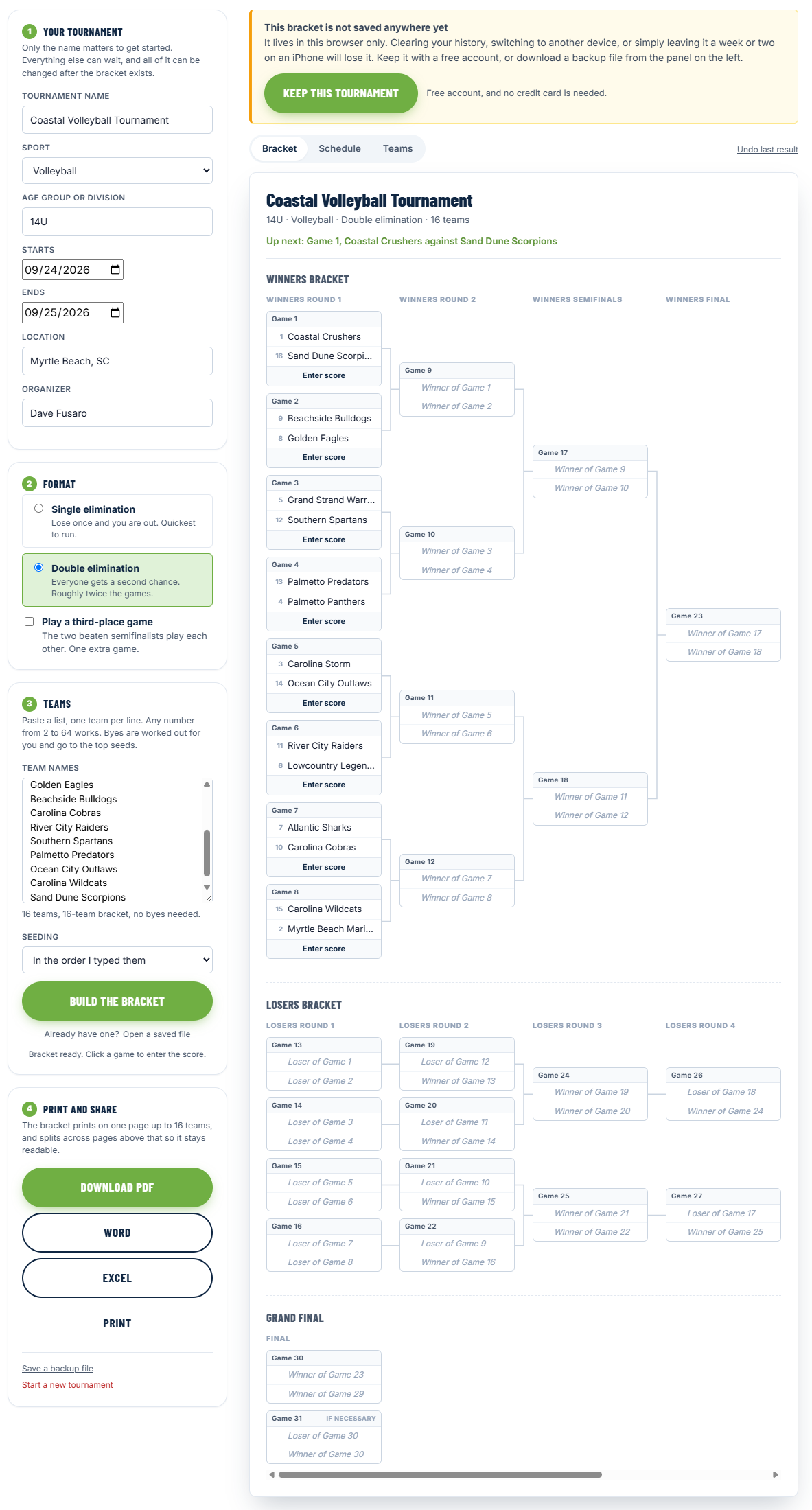
It runs entirely in your browser. Nothing is sent anywhere and no account is needed, so it is genuinely usable by somebody who has never heard of Playbook Logix.
If you are undecided about the format, see how tournament brackets work first, because the choice sets how many games your weekend contains.
Save it to your account
The generator has a save option that hands the bracket to Playbook Logix. You are shown exactly what is about to be saved before anything is written, and you confirm it from there.
That confirmation step is deliberate. The bracket came from another website, so you get to look at it before it becomes a row in your account.
Fill in the details
A bracket on its own is not much use to a parent. The tournament page in your account is where you add everything else.
- Name, sport and division
- Start and end dates
- Location
- Organizer name, which appears publicly only if you fill it in
- Contact email, which is stored and never published
- An announcement, shown at the top of the public page
Set game times and fields
Each game can carry a time and a location, and these are what make the public page worth refreshing. A bracket with no times tells a parent who their child plays; a bracket with times tells them when to be there.
During the weekend
Enter each score as the game finishes and the winner moves forward on its own. See entering scores.
What a tournament is not connected to
Common questions
Do I need an account to build a bracket?
What happens if I am not signed in when I save a bracket?
Are tournament teams linked to my rosters?
What should I put in the announcement?
Who should enter scores during the tournament?
Last updated September 26, 2026.
Ready to run your season on this?
Playbook Logix is free to start, and no credit card is needed.