
Help Center
How to use team chat
What you will learn
- Create a channel and choose exactly who is in it
- Know what chat is good for, and what it quietly loses
- Report a message, and understand where that report goes
- Settle on a channel setup that survives a season
Takes about 3 minutes.
Learn how to set up chat channels in Playbook Logix, choose who is in each one, and tell which conversations belong in chat rather than on the message board.
Chat sits beside the message board, under Chat on the team. Same place, different job: the board is a noticeboard, chat is a conversation.
Before you start
- A team with staff and families on it
Channels are hand picked
A channel is not automatically "everyone on the team". You create it and choose exactly who is in it, which is the whole design.
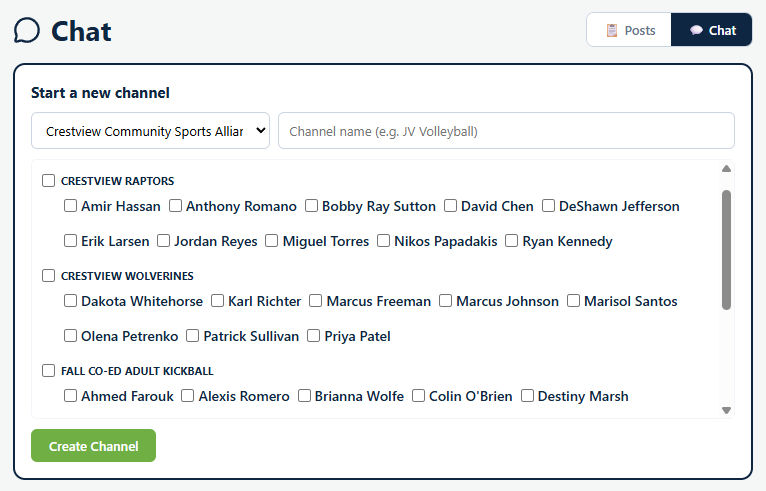
Pick the organization, name the channel, and tick the members. They are grouped by team, so you can add a whole team quickly or pull four people from three different teams into one conversation.
Using a channel
Open it and type. The header shows the channel name and how many members it has, with Members to see or change who is in it and Leave to take yourself out. All channels goes back to the list.
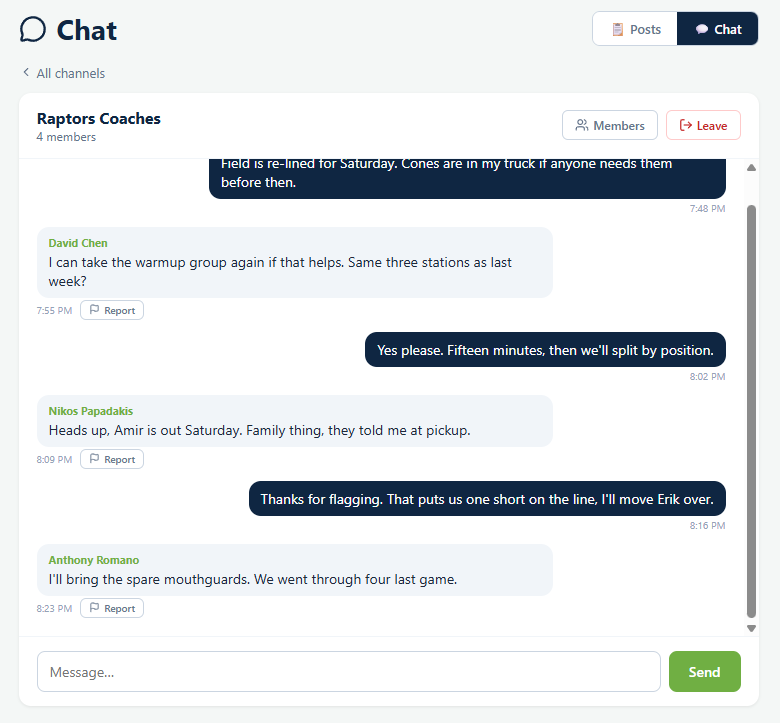
Every message somebody else posts carries Report. You cannot report your own. That goes to whoever runs the organization, not to the coach of the channel, which matters when the problem is the coach. See handling a reported message.
What chat is good for
- Coaches talking to each other. Who is bringing the cones, who takes warmups, is anyone missing on Saturday.
- A small working group. The three parents organizing the end of season party do not need the other twenty watching.
- Anything that is genuinely back and forth, where a threaded reply would be slower than just talking.
What it is not good for
The failure mode is a coach answering the same question four times in four channels, because the answer was never written down anywhere anybody could find it.
A shape that works
One coaches channel per team, created at the start of the season. Extra channels only when a specific group has a specific job, and closed when the job is done.
Everything families need is on the board and in their email. Chat is for the people running the team, and for the handful of occasions when a small group needs to sort something out quickly.
See how to communicate with sports parents for the wider question of which channel a message deserves.
Common questions
Is a chat channel the same as the whole team?
What should go in chat rather than on the message board?
Can somebody report a chat message?
Can I leave a channel?
Should I make a channel for all the parents?
Last updated September 21, 2026.
Ready to run your season on this?
Playbook Logix is free to start, and no credit card is needed.