
Help Center
Snack duty and carpool coordination
What you will learn
- Claim snack duty, and say what you are bringing
- Offer a ride or take a seat for a specific child
- Who is notified, and who is not
- Turn either feature off for a program or one practice
Takes about 2 minutes.
Learn how snack duty and carpool coordination work in Playbook Logix, who is allowed to claim each one, and how to turn either of them off for a whole program or a single practice.
Both live on the event page rather than in Volunteer Central, and both are open to any family on the roster. No approval, no volunteer application. A parent who can see the event can claim snacks or offer a ride.
Before you start
- A team with events on its schedule
- A decision about whether you want to coordinate rides at all
Snack duty
The Snack Duty section of an event shows one of two things. Either nobody has claimed it, in which case there is a Volunteer for Snacks button, or somebody has, in which case it shows their name and what they are bringing.
Claiming it asks one question, What are you bringing?, with oranges and juice as the example. That field is the whole feature. A name alone tells you snacks are handled; a name plus what they are bringing tells the parent of the child with a nut allergy whether they need to do anything.
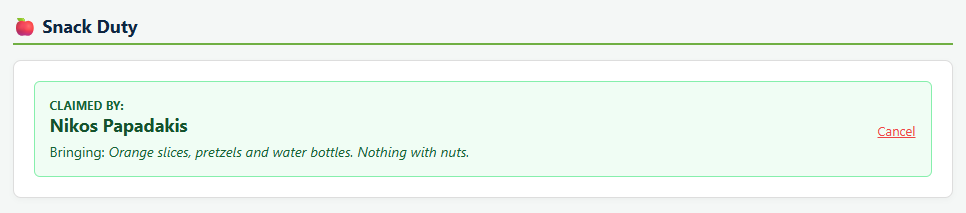
Snack duty is one claim per event, not a list of slots. Whoever gets there first has it. The person who claimed it can release it again with Cancel, and so can a coach or manager, at which point the team is notified that snacks are needed again.
Carpools
The Car Pool Coordination section invites people to offer a ride or catch one.
Offer Ride asks for two things: Available Seats, up to ten, and Pickup Location / Notes, which asks where you are leaving from. Posting it notifies the team that a carpool is available.
Each posted carpool shows the driver, how many seats are left out of the total, and the pickup note. Join Carpool takes a seat for one of your children, which is why you pick a player rather than just clicking yes: the seat belongs to a specific child, and a family with two on the same team can put both in.
A seat can only be claimed for a player on that roster, so somebody without a child on the team can offer a ride but cannot take one. The driver is notified when a passenger joins.
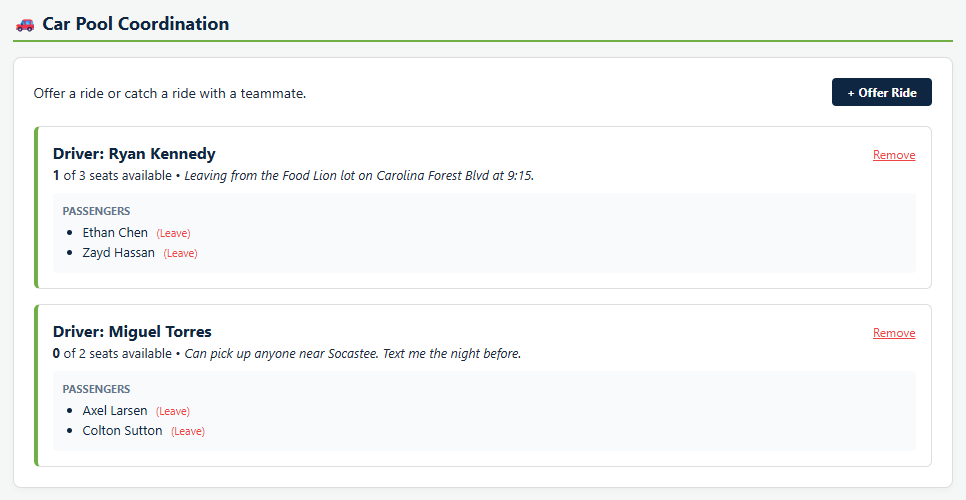
A driver can delete their own carpool, and everybody who had a seat in it is notified that it was canceled. That matters more than most notifications in the product, because the failure case is a family standing outside their house on a Saturday morning.
Seeing it all from the schedule
You do not have to open each event to find out what is still short. The team schedule puts a badge on every event for each of these, and every badge is a link straight to that event.
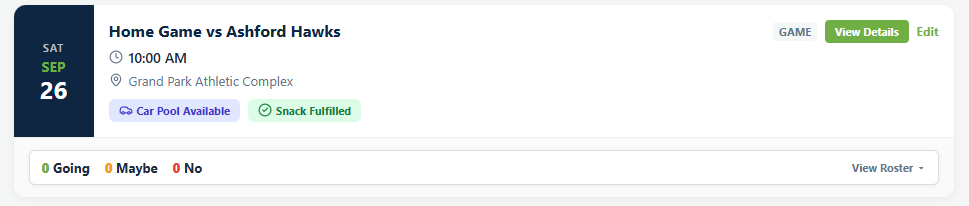
- Snack Needed or Snack Fulfilled, depending on whether anybody has claimed it.
- Car Pool Available when a ride has open seats, or Offer Ride when there is nothing posted yet.
- Volunteers Needed or Volunteers Full for the jobs on that event.
Scanning that column down a season is the fastest way to find the three games nobody has signed up for, which is a better use of five minutes than a reminder sent to everybody.
Turning either one off
Neither feature suits every program. A high school team does not need snack duty, and plenty of organizations would rather not coordinate rides at all.
For a whole program
Both are checkboxes when you create a program, and both are on by default.
- Include "Snack Duty" coordination on team schedules
- Include "Car Pooling" coordination on team schedules
Unchecking either one removes that section from every event in the program. Both are editable later in program settings, so this is not a decision you are stuck with.
For one event
Snacks can also be turned off event by event. Editing an event gives you This event needs snack coordination, with the app's own note that you would uncheck it for events like practices.
That is the common case. Snacks after a game, nothing after a Tuesday practice, without having to explain to anybody why the section is there and being ignored.
What happens next
For jobs that do need approval, like running a scoreboard or working concessions, see creating volunteer jobs.
Both of these sections sit on the event page alongside RSVPs and attendance. See RSVPs and attendance.
Common questions
Do parents need to be approved volunteers to bring snacks?
Can more than one person claim snack duty?
How do carpools work?
Does Playbook Logix check carpool drivers?
How do I turn off snacks or carpools?
Last updated September 21, 2026.
Ready to run your season on this?
Playbook Logix is free to start, and no credit card is needed.