
Help Center
What parents and players see on the schedule
What you will learn
- What a parent actually sees, and which view they use
- How families RSVP, and what the counts tell you
- How carpools, snack duty and volunteer jobs reach families
- What the schedule never shows a parent
Takes about 5 minutes to read.
Learn what a parent sees when they open the team schedule in Playbook Logix, how they say whether they are coming, and how carpools, snack duty and volunteer jobs reach them.
Worth knowing before you answer a parent's question about it, and worth knowing before you decide how much to put in the title of an event.
Before you start
- A team schedule with a few events on it
Two views of the same schedule
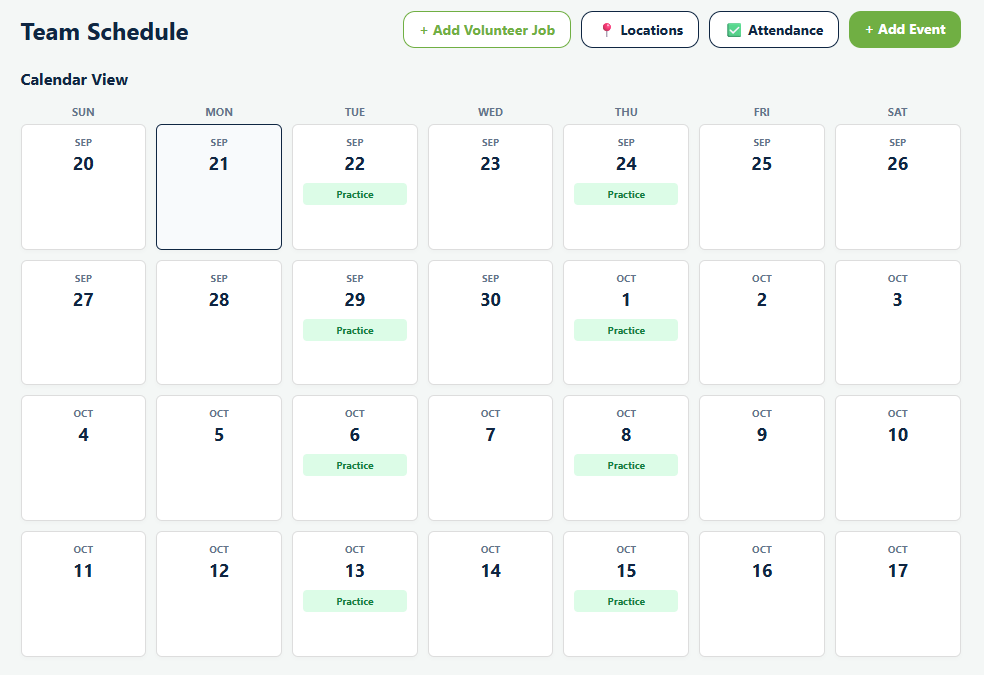
Calendar View is the month, with each event as a colored tag on its day. Good for "are we playing the weekend of the 12th".
Upcoming List is the next events in order, each with its time, its location as a tappable link, and the RSVP counts.
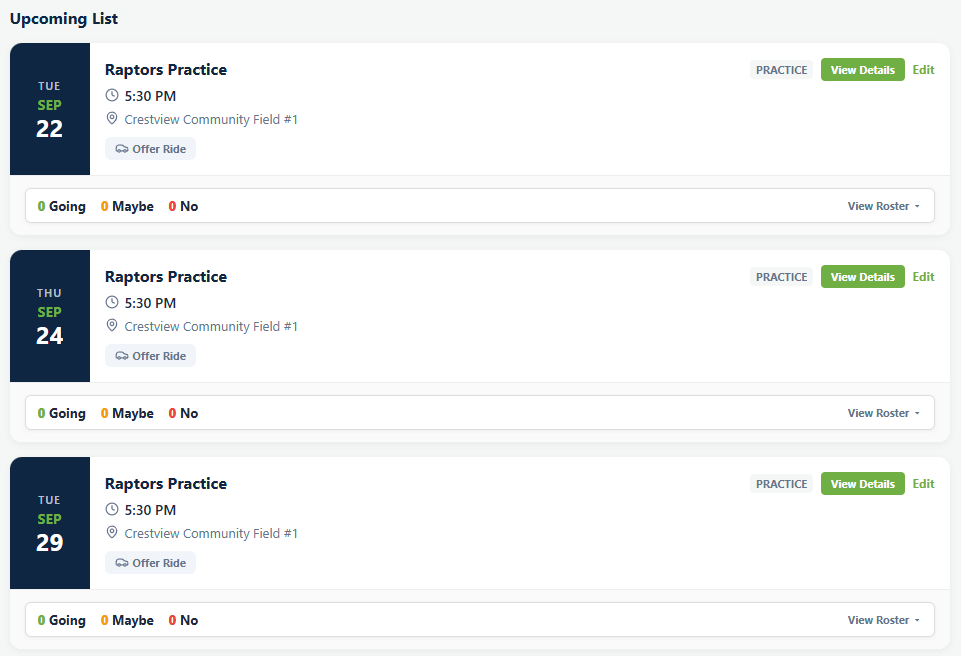
The list is the one that matters on a phone in a parking lot. Everything somebody needs to get to the next event is on it without opening anything.
Families with more than one child
A parent with two children on different teams does not want to check two schedules. Their own calendar shows every event across every team and program they are connected to, in one place.
This is worth mentioning when you announce the season, because a parent who thinks they have to remember two separate schedules is a parent who will miss something.
Saying whether they are coming
Families RSVP straight from the schedule: Going, Maybe or Not Going. The counts update on the event so you can see the shape of it without opening anything, and the names are on the event page.
Nobody has to RSVP, and for a regular practice most will not. See RSVPs and attendance for which events are worth asking about.
Carpools
Each event has a Car Pool Coordination section where a family can Offer Ride or take one that has been offered. Offering a ride also appears as a button straight from the upcoming list.
Playbook Logix does not match anybody up or send anything. It is a noticeboard on the event, which is the honest version of this feature: the arranging still happens between two families who know each other.
Snack duty and volunteer jobs
An event marked as needing snack coordination shows that to families, and each event can also carry Volunteer Opportunities: specific jobs somebody signs up for, like running the scoreboard or working the gate.
Both work the same way and for the same reason. A job with a name attached to it gets done, and a job that belongs to everybody gets done by the same two parents every week until they stop coming.
What families cannot see
Worth knowing, because parents ask.
- Attendance records. Who was marked present is for coaches and administrators. A parent does not see another family's attendance, or their own child's history.
- Anything financial. The schedule carries no fees, balances or payment status. A family sees what they owe on their own registration and nothing about anybody else.
- Other teams' schedules, unless their own child is on that team.
Three things worth doing for families
Put the address on the location, not in the title. A tappable address is directions; a title reading "Practice at Crestview Community Field" is a thing somebody has to copy into Maps themselves.
Use the event type properly. It is the tag on the calendar, so a game marked as a practice genuinely does get missed.
Name your games. "vs Northside" on a calendar tells a family something. "Game" does not, and twelve rows reading "Game" tell them less than one.
Common questions
What do parents see on the team schedule?
Does a parent with two children have to check two schedules?
Can parents see attendance records?
How do carpools work?
Can I turn carpooling off?
Last updated September 21, 2026.
Ready to run your season on this?
Playbook Logix is free to start, and no credit card is needed.